opens in a new tab
Kagi Mail Icon

Stop chasing inbox zero.
Focus on emails that need you.

Kagi Mail keeps things like newsletters and cold pitches out of the way and warns you about phishing emails, so the people waiting on a reply come first.

Try free for 60 days (opens in a new tab)

$99/year (+ Sales Tax) after that. Included with Kagi Ultimate.

Why we’re making Kagi Mail

Everyone wants your attention.
We built Kagi Mail to protect it.

Fast and private is where we start. We block trackers, give you a throw-away
address for every sign-up, and never show you ads.

Where we're headed is an inbox where the people who need you come first. New senders wait for your approval, newsletters get their own view, and the emails waiting on your reply get flagged.

The best part: You answer in your own words. There is no AI inside Kagi Mail pretending it’s you, drafting replies the way it thinks you’d write them. You get to do it yourself.

Mail Assistant Inbox Icon

Highlights help you find emails from the
people who need you.

They aren't summaries. They show you which emails to read and act on: who's waiting on a reply, what's due and what to review. Each highlight links to the email, so you can read it in the sender's own words.
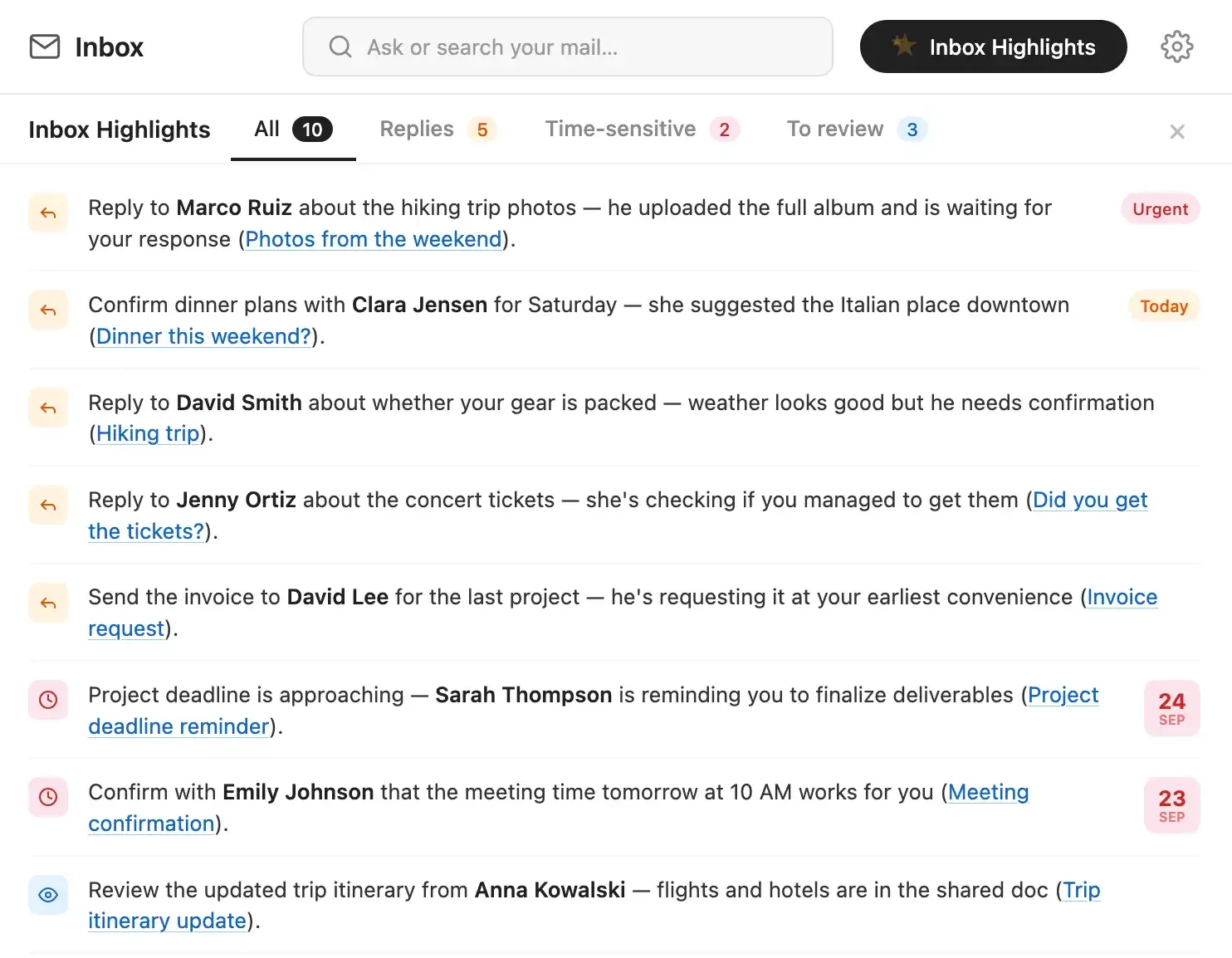
Kagi Mail inbox highlights interface

Previews tell you what the subject line doesn't.

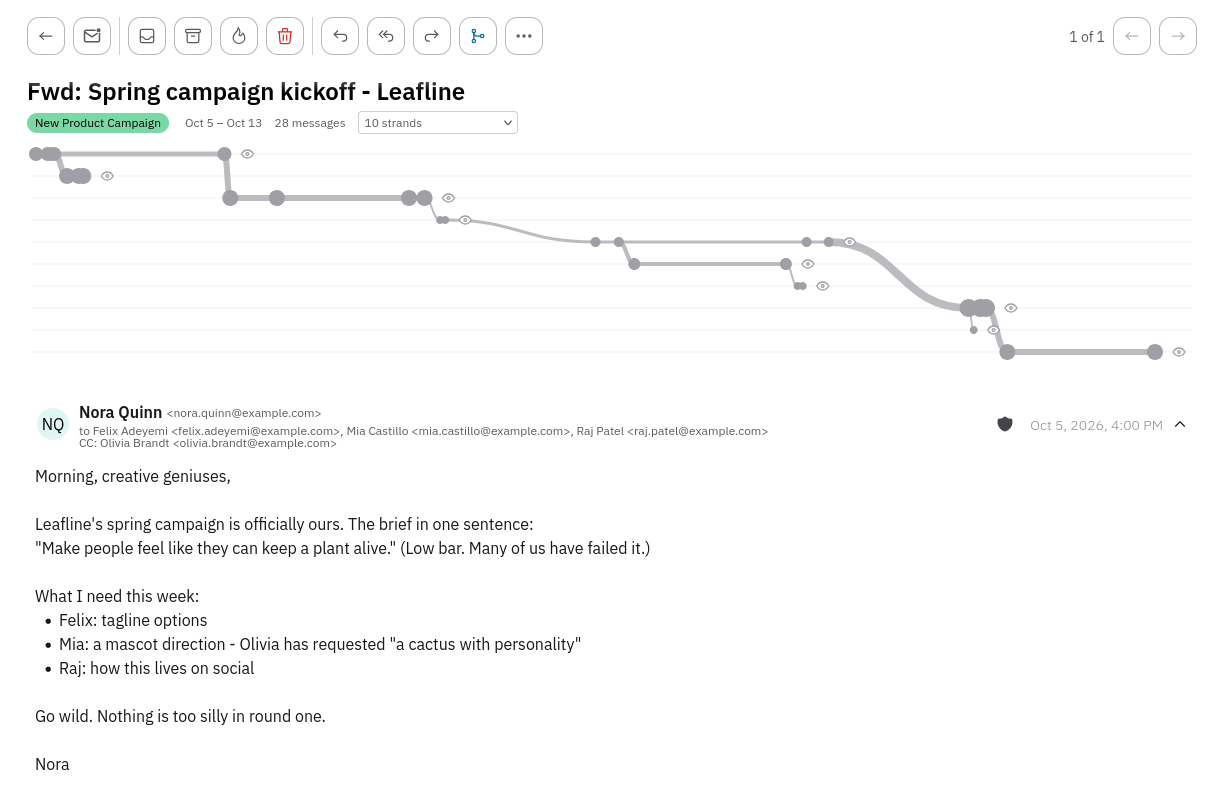
Every email gets a one-line preview that says what it's about and not just how it starts. Skim your whole inbox and only open what counts. Long threads get a map of who's involved, where the conversation split and what's waiting on you.

Kagi Mail's Thread view, which shows where a conversation branched

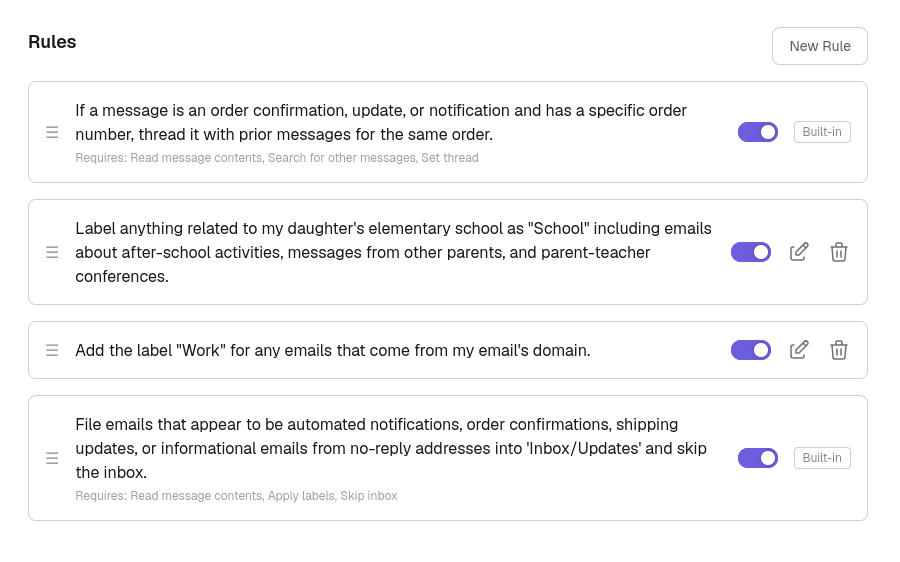
Rules let you sort your mail in your own words.

Instead of building filters, you write a sentence: "Receipts go in Receipts," or "Anything from my kid's school is important." Kagi Mail sorts your mail from there. Turn off any rule at any time, including the ones we built in.

Kagi Mail's rules settings page.

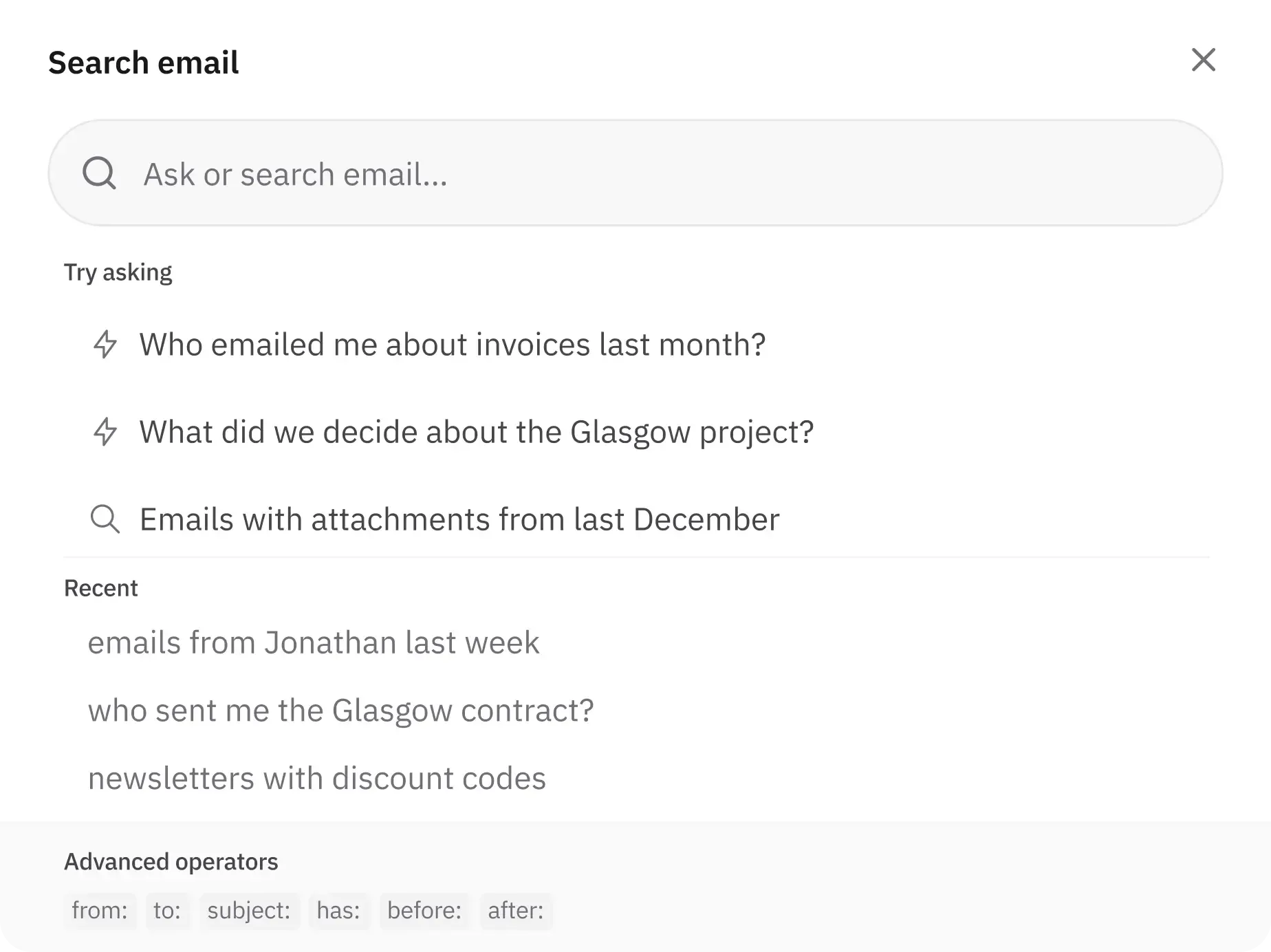
Ask gives you the answer, not a list of emails.

Type a question like "What did we agree on the budget in March?" and get the answer, not a page of search results to read through. Every answer links to the email it came from, so you can check it yourself.

Kagi Mail search modal interface
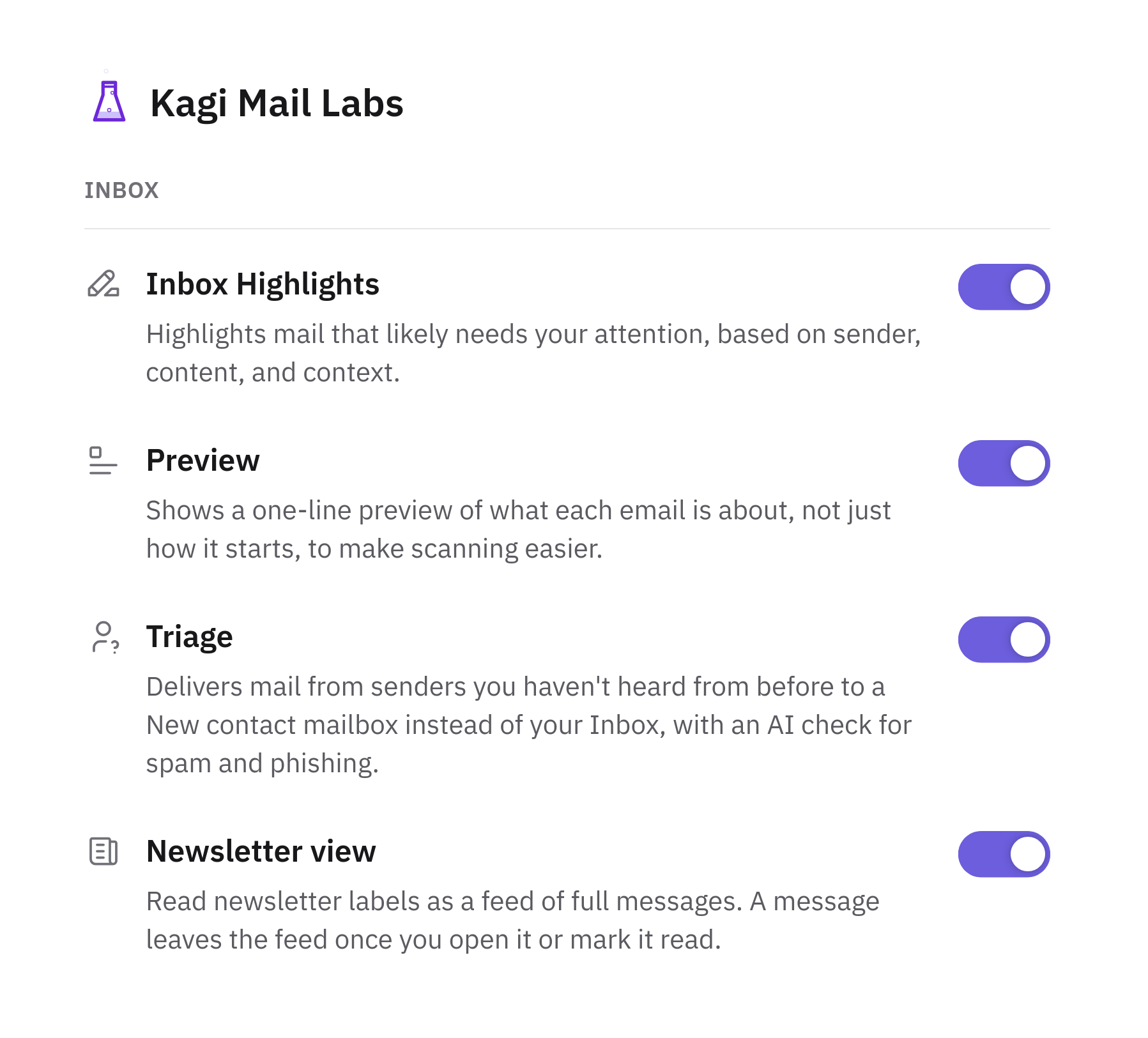
Kagi Mail Inbox Settings

You decide how much AI is in your inbox.

Some email services give you good email and nothing more. Others put AI in everything and never ask. Kagi Mail lets you choose: keep Highlights, Previews, Triage, or Newsletters on, or turn them all off with one switch. Either way you get fast, private email, with a @kagimail.com address, unlimited aliases, your own domains, a calendar, and 50 GB of storage.

Kagi Ecosystem Icon

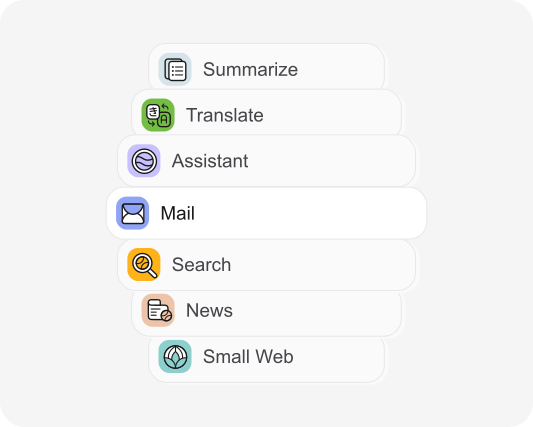
One subscription. Mail, Search, Assistant, and more.

Kagi Mail joins Search, Assistant, Translate, and the rest of Kagi's tools under one account. Mail is included with every Kagi Ultimate subscription.

Built by people who believe technology should serve you,
not the other way around.

We're the team that took the ads out of search. Kagi Mail comes from the same belief: no ads, no tracking, no selling your data. We didn't want to rely on good intentions, so we built the company on good incentives: we answer only to the people who use our products.

That's why the choices stay with you: how much AI you use, which mail app you read in, and whether you stay. Open standards, any mail app, export everything.

Doggo with Mailbox Icon

Frequently asked questions

Does AI read my email?

Only if you want it to. When AI features are on, Kagi Mail uses them to flag what needs you, sort your mail and answer your questions. One switch turns it all off. Your email is never sold, never used to target ads, and never kept longer than the product needs.

Does Kagi Mail write emails for me?

No. We believe in connecting people with people. When you write to someone, it's you they hear from, not an AI.

Which email apps can I use?

The Kagi Mail web app, for access to all Kagi Mail features. Or any email client, like Apple Mail or Thunderbird, for fast, familiar access to your mail. Native mobile apps are coming in 2027.

What happens to my data if I cancel?

You can export everything before you go. After that, your data is deleted from Kagi's systems on a set schedule. We don't keep it for "product improvement."

Who can use Kagi Mail today?

Kagi Mail is now in public beta. Everyone can sign up, create a @kagimail address, and test it out for themselves within a 60-day free trial. If you're already a Kagi subscriber, sign in with your Kagi account. Mail will be included in the Kagi Ultimate subscription with no additional cost, and available as a monthly or annual standalone subscription otherwise. If you’d like to share your feedback with us, send it to feedback@kagimail.com. Thank you to our community for testing during the closed beta!

Is my email encrypted?

Yes, at rest and in transit. Kagi Mail doesn't offer end-to-end encryption or PGP, because it has to read your mail to flag what needs you and answer your questions.

Your inbox. Your people. Your time.

Join tens of thousands of people choosing a calmer, more human internet. We'd love to have you. Moving from Gmail? Import everything in a few clicks.